Just got approved? You don't have to wait for your card to start spending
If you have a Latitude Visa or Mastercard here's how you can start using your card instantly via Apple Pay:

Step 1
First, download the Latitude App and create your Latitude ID.
Step 2
Link your Latitude Visa or Mastercard using your account number (you'll find this in the email we sent to you when you were approved). You'll receive a verification SMS with a four-digit code to insert.

Step 3
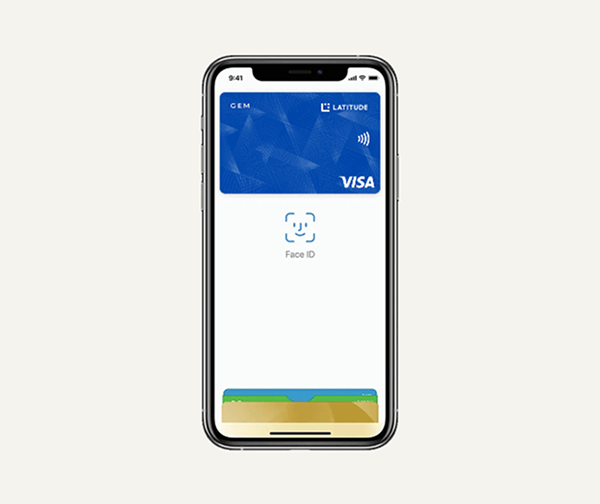
Next, go to your Apple Pay wallet on your phone and insert your name and date of birth. You may receive a verification SMS at this stage.

Step 4
Start using your card instantly through Apple Pay.
Explore the range of ways to pay
Why Apple Pay?
Let your budget breathe
Enjoy a 13.99% p.a. purchase rate, so you can stretch your budget without stressing it.
Earn on everyday spend
Get 3% back in Latitude Rewards1 when you set up recurring payments direct with participating utilities, telco, and streaming services. T&Cs apply.
Team up for even more rewards
Add an additional cardholder at no extra cost and become the ultimate rewards-earning team. Learn More.
Travel with peace of mind
Wherever you go, our specialist team keeps your personal info safe from fraud and identity theft. Learn More.
How to set up Apple Pay
Frequently asked questions
Important information
©2016 Apple Inc. All rights reserved. Apple, the Apple logo, Apple Pay, iPad, iPad Air, iPhone, MacBook Air, Touch ID, and watchOS are trademarks of Apple Inc., registered in the U.S. and other countries. Apple Store and App Store are service marks of Apple Inc., registered in the U.S. and other countries. IOS is a trademark or registered trademark of Cisco in the U.S. and other countries and is used under license. Other product and company names mentioned herein may be trademarks of their respective companies.
* Apple Pay works with iPhone 6 and later in stores, apps, and websites in Safari; with Apple Watch in stores and apps (requires iPhone 6 or later); with iPad Pro, iPad (5th generation), iPad Air 2, and iPad mini 3 and later in apps and websites in Safari; and with Mac (2012 or later) in Safari with an Apple Pay-enabled iPhone or Apple Watch. For a list of compatible Apple Pay devices, see https://support.apple.com/km207105.